An EPUB reader for Linux that reads out loud.
Augre keeps your EPUBs in a library, remembers your place, and reads books aloud with a voice that runs on your own machine. It's free, you don't need an account, and the same app runs on Windows, Mac and Android.
AppImage. Also as a .deb or .rpm. 64-bit Intel or AMD, Ubuntu 22.04, Debian 12, Fedora 37 or newer.
Pick a package
- AppImage
- Runs on most distros without installing anything. Make it executable, then open it. 117 MB, and it includes the sound libraries read-aloud needs.
chmod +x Augre_*_amd64.AppImage && ./Augre_*_amd64.AppImage - .deb
- For Ubuntu, Debian, Linux Mint and Pop!_OS. 33 MB.
sudo apt install ./Augre_*_amd64.deb - .rpm
- For Fedora and other RPM-based distros. 33 MB.
sudo dnf install ./Augre-*.x86_64.rpm
All three are for 64-bit Intel and AMD computers. Augre checks for a new version when it opens and offers to install it.
Read-aloud that runs on your machine
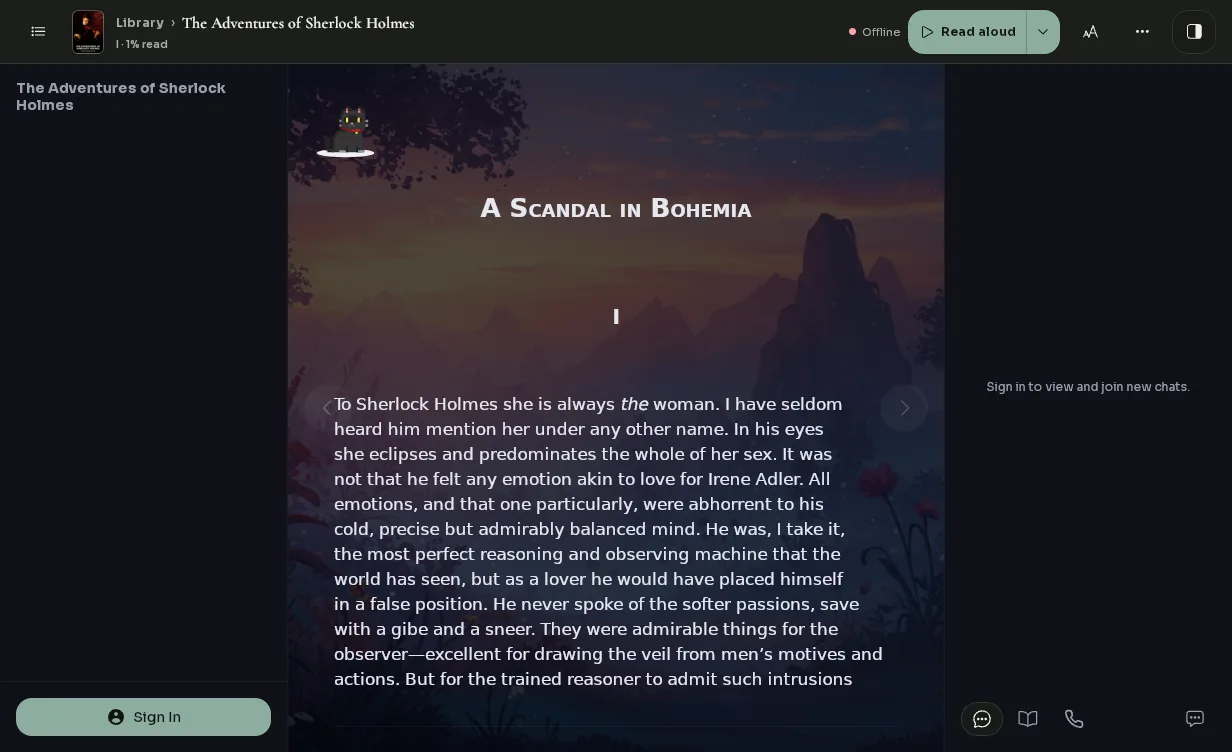
Press Read aloud and Augre speaks the book, highlighting each sentence as it goes. The first time, it downloads a voice of about 80 MB. After that it needs no internet.
You start with two voices, Nora and Owen, and can download ten more English voices in Settings. Change the voice or the speed at any time.
What you get
- Its own voices
- Nothing to set up. Foliate and Thorium read aloud with the voices your system already has, often eSpeak NG through speech-dispatcher. Augre comes with voices made for reading books.
- Your library
- Covers, titles and authors are filled in for you. Every book opens where you stopped.
- Free books
- The Store adds classics from Standard Ebooks in one click. Sherlock Holmes is in your library from the start.
- Reading with friends
- Start a voice room, invite friends by email, and read the same book while you talk.
How Augre compares
| Feature | Augre | Foliate | Thorium | Calibre |
|---|---|---|---|---|
| Linux, Windows, Mac and Android | ✓ | Linux only | No Android | No Android |
| Voices included, nothing to set up | ✓ | System voices | System voices | ✓ |
| Library synced across your devices | ✓ | No | No | No |
| Read a book with friends on a voice call | ✓ | No | No | No |
Sync and voice rooms need a free sign-in. Everything else works without one.
Common questions
- Which distros does it run on?
- Any 64-bit distro with glibc 2.35 and WebKitGTK 4.1 or newer. That covers Ubuntu 22.04, Debian 12, Fedora 37, Linux Mint 21, Pop!_OS 22.04 and later releases. Rolling distros like Arch can use the AppImage.
- Do I need an account?
- No. Import books and listen without signing up. Sign in if you want your library synced between computers.
- Does it need the internet?
- Only to download a voice the first time and to get books from the Store. Reading and listening work offline.
- Where are my books kept?
- In
~/.local/share/com.getaugre, unless you sign in to sync them between computers.
Download Augre for Linux.
It is free and you do not need an account. The voice downloads the first time you press play.
- LinuxAppImage.deb.rpm
- Other systemsAll downloads